Start with one client
Get their permission, choose a language they can support, and review the first translated page together.
Website & funnel translation
Translate your pages. Keep your layout, protect names and approved wording, and choose how your translations stay up to date.
Free account · Monthly plans · Review your price before subscribing
A space to work
Book a bright, comfortable space for your next workday.
See available spaces ↗Sample website. Select a language to try it.
Free preview
Enter a public page to get a translation sample and a plan estimate. No account needed. Nothing is published.
Creating an account is free. Paid plans use real payments. Verify your email and website, then review the monthly price and billing terms before you subscribe.
You need permission to add the language switcher and prove website ownership. Check with your website provider before setup. Create your account or see how to connect an agent. Existing CRM installations keep their own account and subscription.
A sample from your website
This is a draft. Nothing is published, and automatic updates are off.
After setup, your agent can check your chosen pages for changes and prepare new translations. Approved wording stays locked.
Paid plans use real payments. Your sample is not saved to a project. Verify your website and choose its pages and languages in your account.
During setup, choose your pages, languages, publishing settings, and plan. Translation quality varies by language. Review the wording before publishing.
Managing several clients? This estimate covers one website. See plans for client teams.
Keep your sample, translation notes, plan estimate, and setup guide. Sharing your email is optional.
Try the example
Select English, Spanish, or French in the sample above. It uses prepared translations to show how the page changes. To try your own website, enter a public page in the preview form. Anything you type stays as entered.
How it works
Verify ownership, choose your pages, and pick the languages your visitors need.
Describe your audience and tone. Add names to protect, then review each translation beside the original.
Confirm your first publication. Visitors can choose a language, and your original page stays available.
Start updates yourself or let FunnelLingo manage them. Approved wording stays locked until you reopen it.
More languages.
You’re in control.
For client teams
Manage several websites with shared translation capacity. Each client keeps separate content, permissions, and approvals.
Get their permission, choose a language they can support, and review the first translated page together.
Each client account has its own license and permissions. Portfolio plans share the word allowance across those accounts.
You manage the client relationship. Include setup, support, and any human language review in the service you offer.
Portfolio plans have a monthly base price plus a charge for each enabled client account. Adding clients does not increase the shared word allowance. Each installation must meet the setup and service requirements.
If a provider manages your website, send them the setup guide. You do not need to create another CRM account.
Translation with context
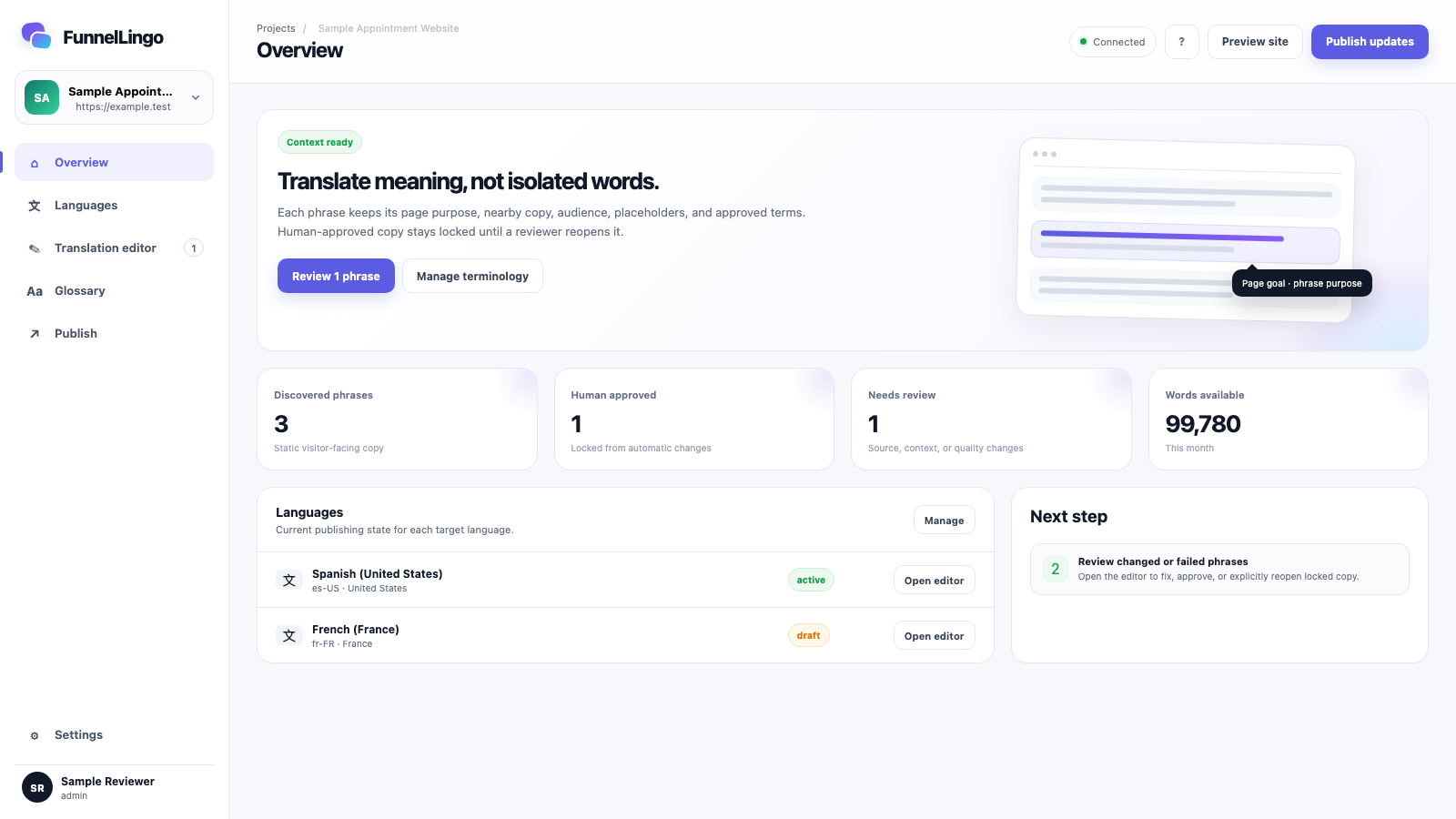
“Book now” could mean an appointment or a hotel room. FunnelLingo uses the page’s purpose, audience, and surrounding text to help translate what you mean.
Built-in protections
On your website, FunnelLingo does not collect or translate visitor form entries, contact records, or private conversations.
Once you approve wording, automatic updates cannot replace it. Reopen it when you want a change.
If FunnelLingo cannot load, visitors can still use your original page, navigation, and forms.
Multilingual SEO is included through hosted translated pages. Search indexing is currently disabled. Enabling it requires verification of your website and language URLs, page review, and separate approval. Search rankings are not guaranteed.
FAQs
FunnelLingo translates the text you publish on websites and funnels. That includes headings, paragraphs, buttons, form labels, and supported screen-reader text. Visitor entries and contact records stay out of translation.
Yes. Add the language switcher to the pages you choose. You need permission to edit those pages and must verify the website. Hosted translations use a dedicated language subdomain and leave your original website in place.
Yes. Enter a public page on the homepage for a small translation sample and a site estimate. The sample does not change your website or start a subscription. You still need to verify the website before setting up translations.
Starter lets you translate into one language. Growth and higher include all supported languages and regional options. Quality varies by language, so review important text before publishing.
Yes. Protect names you want to keep and set approved translations for business terms. Translation checks preserve placeholders, merge fields, links, email addresses, phone numbers, and supported HTML structure.
Automatic updates leave your approved wording unchanged. If the original text changes, FunnelLingo flags it for review. A reviewer must edit the translation or explicitly allow it to be translated again.
Learn more
See how hosted translations and language URLs work.
Translate and manage updates with permissions you choose.
Review features, word limits, and pricing.
Get answers about setup, pricing, privacy, and updates.
Setup help
Start with one language on Starter, where you run updates yourself. Choose Growth or a higher plan for managed updates. If you need help with permissions or setup, talk to us.
Set up your website, choose a language, and review your plan.
Create free account ↗ Get setup help